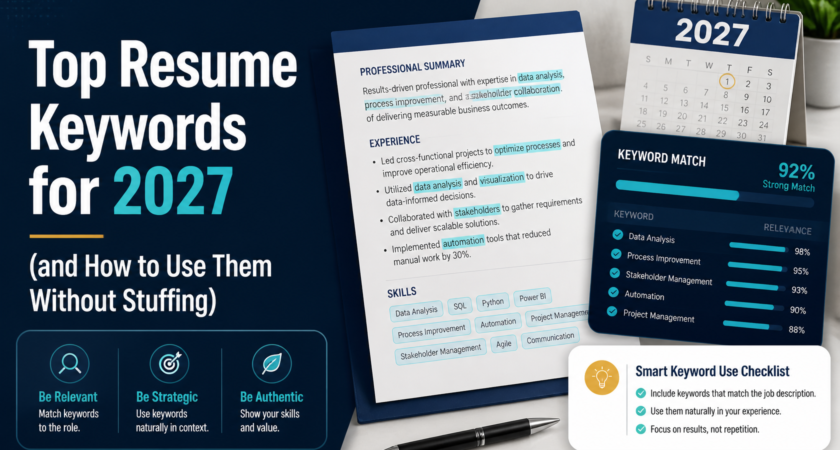
Keywords are how resumes get found. Recruiters search for them, and applicant tracking systems (ATS) rank resumes by them. But there’s a fine line between optimized and stuffed. Here’s how to get it right in 2027.
Why keywords matter
When you apply, your resume is often parsed by software and compared with the job description. Resumes with stronger matches are more likely to reach a recruiter’s shortlist. Keywords tell the system, and the human, that you speak the language of the role.
Types of keywords to include
1. Hard skills and tools
Specific, searchable abilities: CRM platforms, Excel, data analysis, SEO, project management software, lead generation, market research.
2. Role and industry terms
Job titles and domain vocabulary: business development, B2B sales, client acquisition, account management, pipeline management.
3. Action verbs
Strong verbs show impact: generated, negotiated, launched, streamlined, converted, managed, analyzed.
4. Soft skills (with proof)
Communication, negotiation, adaptability, and problem-solving carry weight when backed by an example rather than listed alone.
5. Certifications and qualifications
Spell out both the full name and the acronym, for example “Customer Relationship Management (CRM).”
Keyword themes rising in 2027 resumes
Hiring trends shift, but these themes keep showing up across industries:
- AI literacy: familiarity with AI tools for research, writing, analysis, or automation
- Data-driven decision making: analytics, dashboards, reporting
- Remote and hybrid collaboration: async communication, virtual teamwork
- Customer experience and retention
- Adaptability and continuous learning
Include these only where they’re true for you, and tie each to a result.
How to find the right keywords for your resume
The best keywords come from the job you’re applying to, not a generic list.
- Copy the job description into a document.
- Highlight repeated skills, tools, and phrases.
- Compare them against your resume.
- Add the ones you genuinely have, using the same wording.
Want to skip the manual comparison? Check your resume’s keyword match at careerscan.app to see which keywords you have, which you’re missing, and where to add them.
Find your missing keywords in seconds: Scan your resume at careerscan.app before your next application.
Where to place keywords
- Summary: two or three of the most important role keywords
- Skills section: a clean, scannable list
- Experience bullets: the most powerful placement, because keywords appear with context and results
- Job titles and headings: keep them standard and recognizable
How to avoid keyword stuffing
Stuffing hurts you with both software and people. Avoid:
- Repeating the same word unnaturally to inflate matches
- Hidden white text. ATS and recruiters catch it, and it can get you rejected.
- Listing skills you don’t have. You’ll be exposed in the interview.
- Dumping a giant keyword block with no context
A good rule: if a sentence reads awkwardly out loud, rewrite it.
Before and after
Before: “Handled sales and customers.”
After: “Managed B2B client relationships and lead generation, increasing qualified pipeline by 25% in six months.”
The second version includes several relevant keywords naturally, plus a measurable result.
Formatting tips for ATS-friendliness
- Use standard headings: Experience, Education, Skills
- Avoid tables, columns, and graphics that parsers misread
- Use common fonts and a clean layout
- Submit in the file format the employer requests
Final thoughts
Keywords open the door, but clear achievements get you the interview. Use the language of the job, back it with real results, and keep it natural.
Ready to see how your resume measures up? Scan it free at careerscan.app and put the right keywords in the right places.